 Signato
You show the consent and the date it was signed.
Signato keeps the wording of the document, the signature and the time of signing. So you can show what your client agreed to and when she signed.
Informed consent for salons and studios
In Signato your client signs the informed consent to the treatment at your salon, on a phone or tablet. When she complains, you can show what she agreed to and which risks you made her aware of.
Signato is an online system for booking, questionnaires, consent and client records. You handle everything in one system.
No payment card needed. After the trial nothing is charged automatically.

For each service you prepare your own consent. You describe what you will do, what risks the treatment may bring and how the client should look after her skin after the visit.
When a client complains about a treatment
You open the record of that particular visit. It holds the text of the consent, your client’s answers and the materials you added to the treatment.
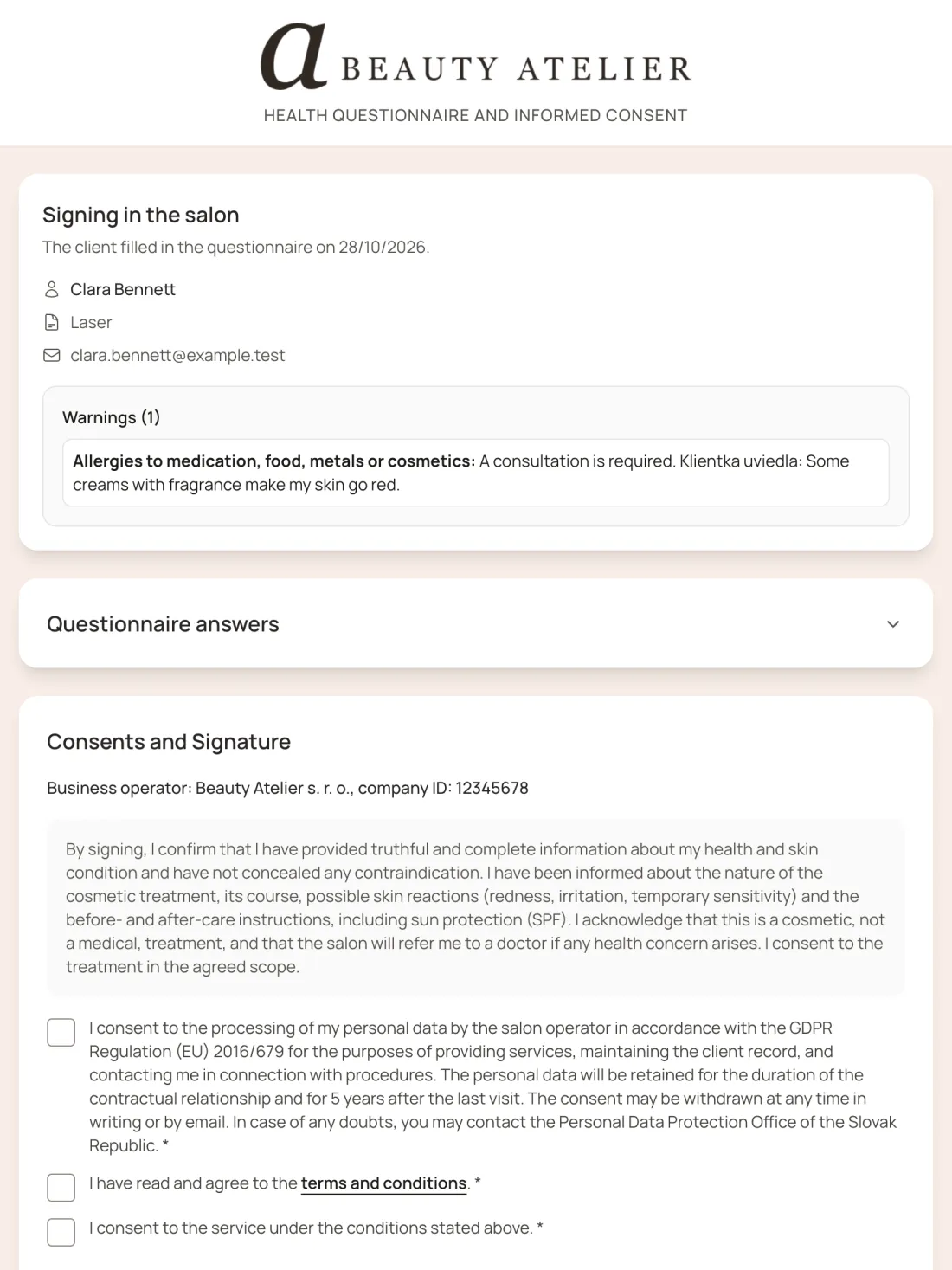
Signato keeps the wording of the document, the signature and the time of signing. So you can show what your client agreed to and when she signed.
You put the aftercare instructions into the consent. Later you open the exact text you gave your client before she signed.
You add photos and notes to the visit. So you can show what the skin looked like before the treatment and what the result was that day.
From questions to a signature
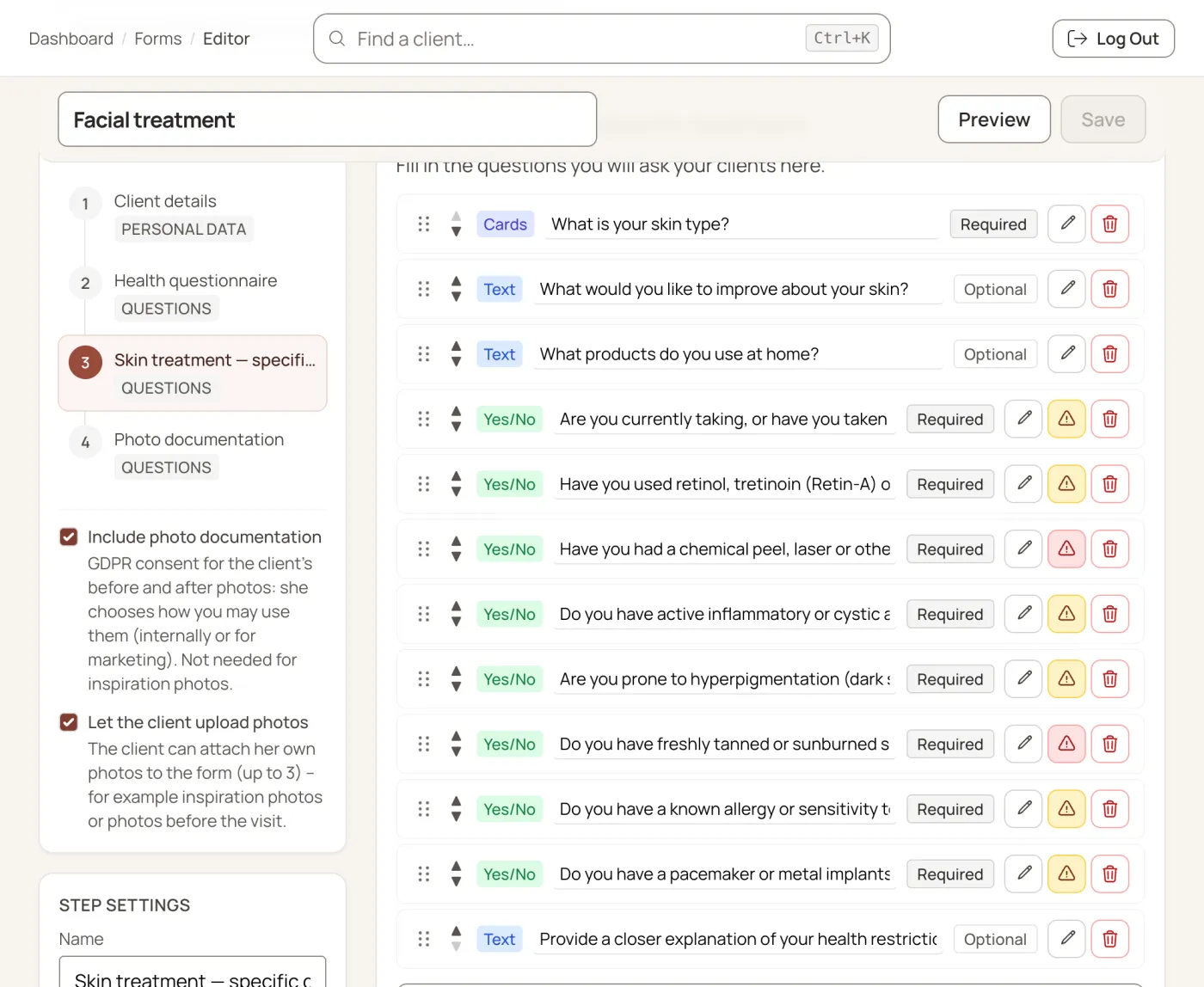
You prepare a form for your service. Your client fills in the questions at home before the visit. At your salon you explain the treatment together, and she signs the consent digitally.
Prepare it once, use it for later clients
You copy your existing consent or edit the text for a particular service. You add questions about allergies, medication and previous reactions.
You send your client a link to the questionnaire. She opens it at home in a browser, with no app and no account to create.
Before you start the treatment
From the questionnaire you learn about allergies and earlier reactions. You can ask follow-up questions and consider whether to adapt the treatment or postpone it.
Together you go through the procedure, the possible risks and the care after the visit. Your client has room to ask about anything she doesn’t understand.

A signature with no printing or scanning
When she understands the treatment and wants to go ahead, she signs the consent. Signato stores the document together with the signature and the time of signing.
You don’t have to prepare paper forms, scan them or file them in a folder.
See what stays stored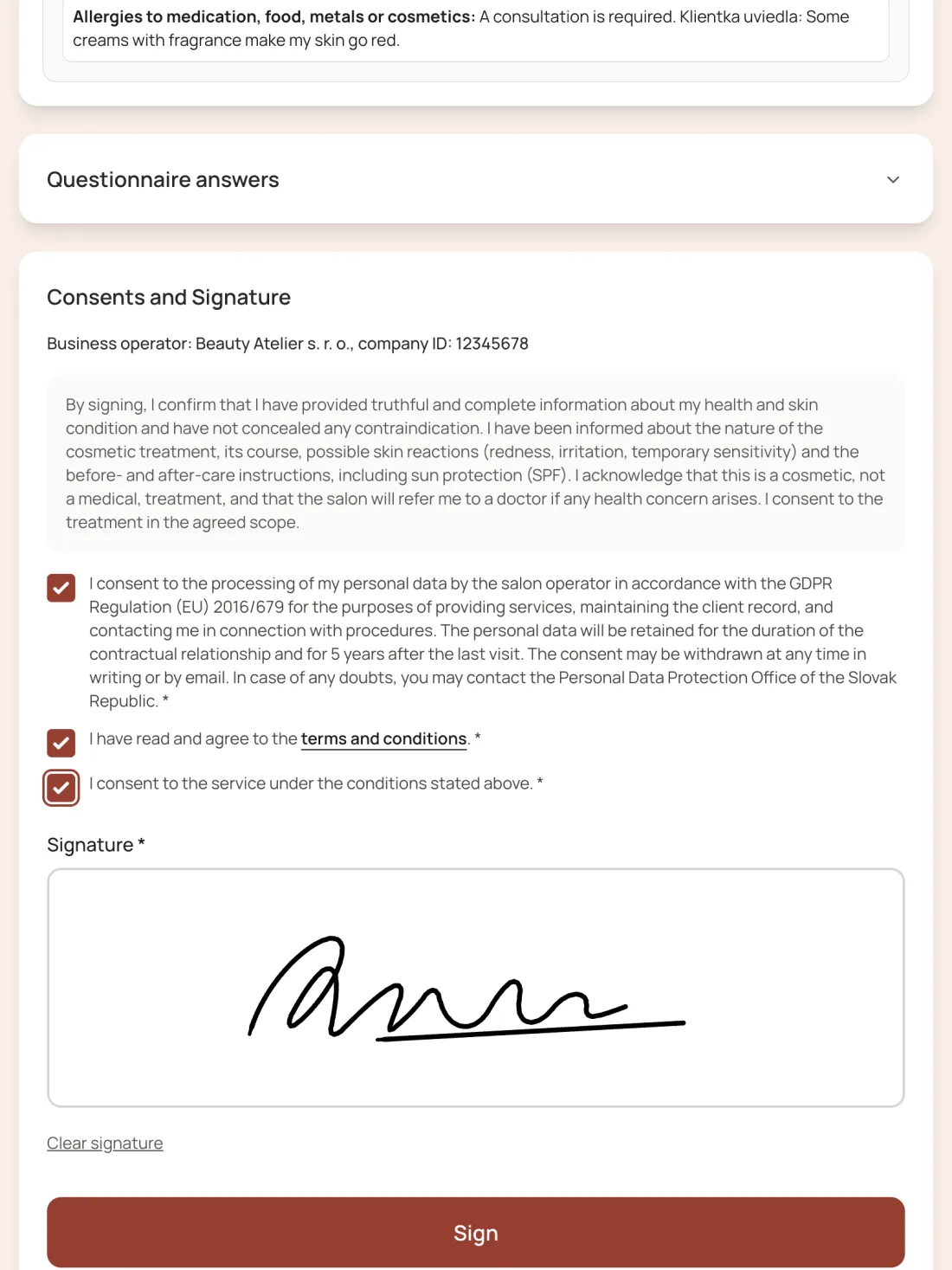

An illustration of the materials in a client record.
A record of every visit
When a client gets in touch even months later, you open her record. You go back to the documents and notes from that particular treatment.
You can’t rewrite a signed document afterwards. You add new information to the client’s answers as an addendum with a date and your name.
You download the consent and the client’s record to your computer. If a lawyer or an insurer is handling a case, you can send them a copy.
Signato stores data on servers in the EU. It protects answers, notes and consent texts with encryption. Photos and signatures are shown only after login. How Signato protects client data
Your logo. Your colours.
Add your logo and choose your brand’s colours. When your client opens the form, she recognises the salon she booked with.
For PMU you prepare different questions and information than for a facial treatment. You adapt the form to the service you actually provide.
You get this option with the Professional plan.
Try the colours in the preview:

Yes. A signature doesn’t stop her from bringing a claim. It helps you show which risks you explained to her and what she agreed to. Even after she signs, you remain responsible for how you carry out the treatment.
You don’t have to obtain a signature for every service. You must, however, explain the risks to your client. For a particular procedure, check whether you also need written consent.
Yes. You can carry on handling appointments as you do now. In Signato you can use just the questionnaires, consent and client records. You send your client the questionnaire link yourself.
Yes. You rewrite or copy the text into Signato and adapt it to the treatment you do. You are responsible for the text being correct. Signato lets you obtain the signature and store the consent.
No. If you want to publish photos, for example on Instagram, ask your client for consent to publication as well. Tell her in advance where you will use the photos and for what.
After the trial you decide whether to pay for a subscription. If you don’t want to carry on, download the documents you need before the trial ends. You will find the details in the terms of service.
Start with one service
Create an account and add the consent text for a particular treatment. Then try how your client fills in the form and signs it.
What else you can handle in Signato