 Signato
You keep time for lunch and for holidays.
You set your working hours and breaks. You block out a holiday or other time off in the calendar, so nobody can book you for that time.
A booking system for salons and studios
Signato is a booking system for salons and studios. A client picks a service and a free time online. You manage bookings, questionnaires and informed consent to treatments in one place.
No payment card needed. After the trial nothing is charged automatically.

You set your own services, prices and working hours. You open Signato in a browser on a phone, tablet or computer.
How a client books
You add the link to your website or Instagram profile, or send it in a message. Your client doesn’t have to wait for you to pick up the phone.
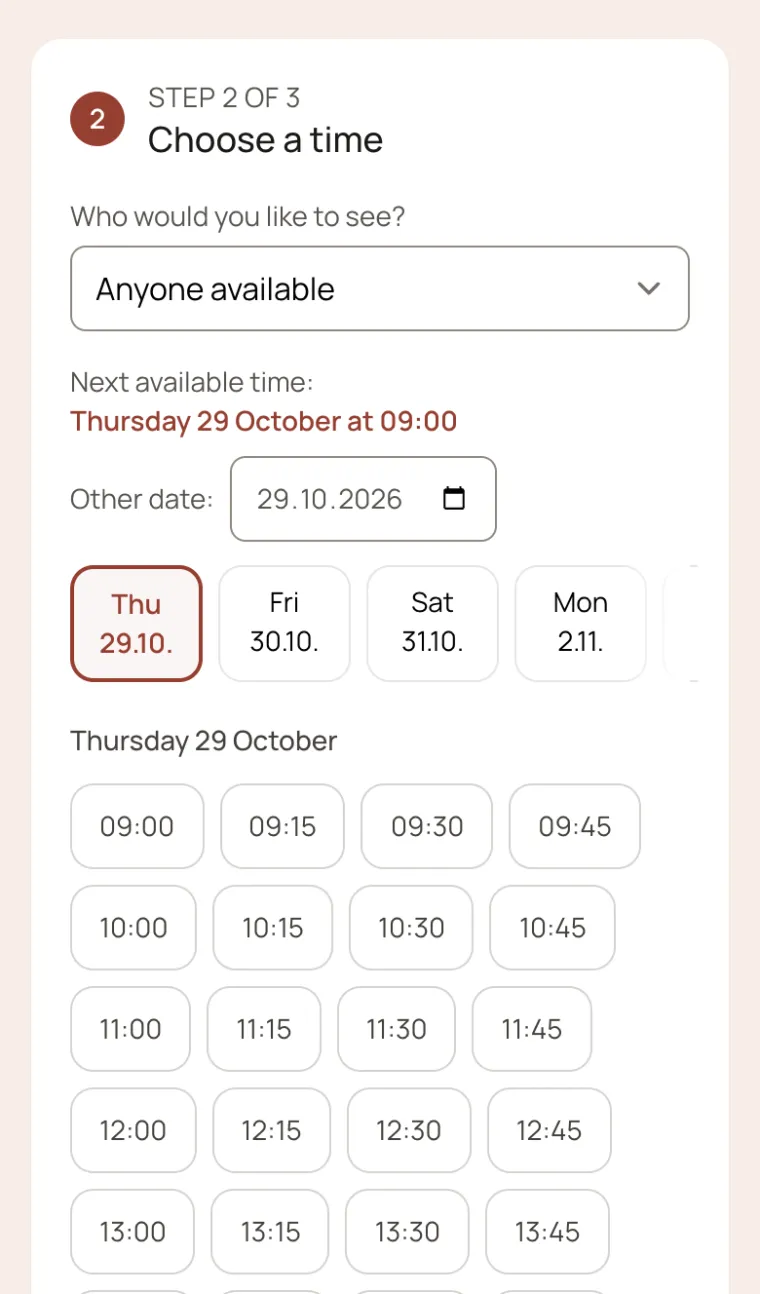
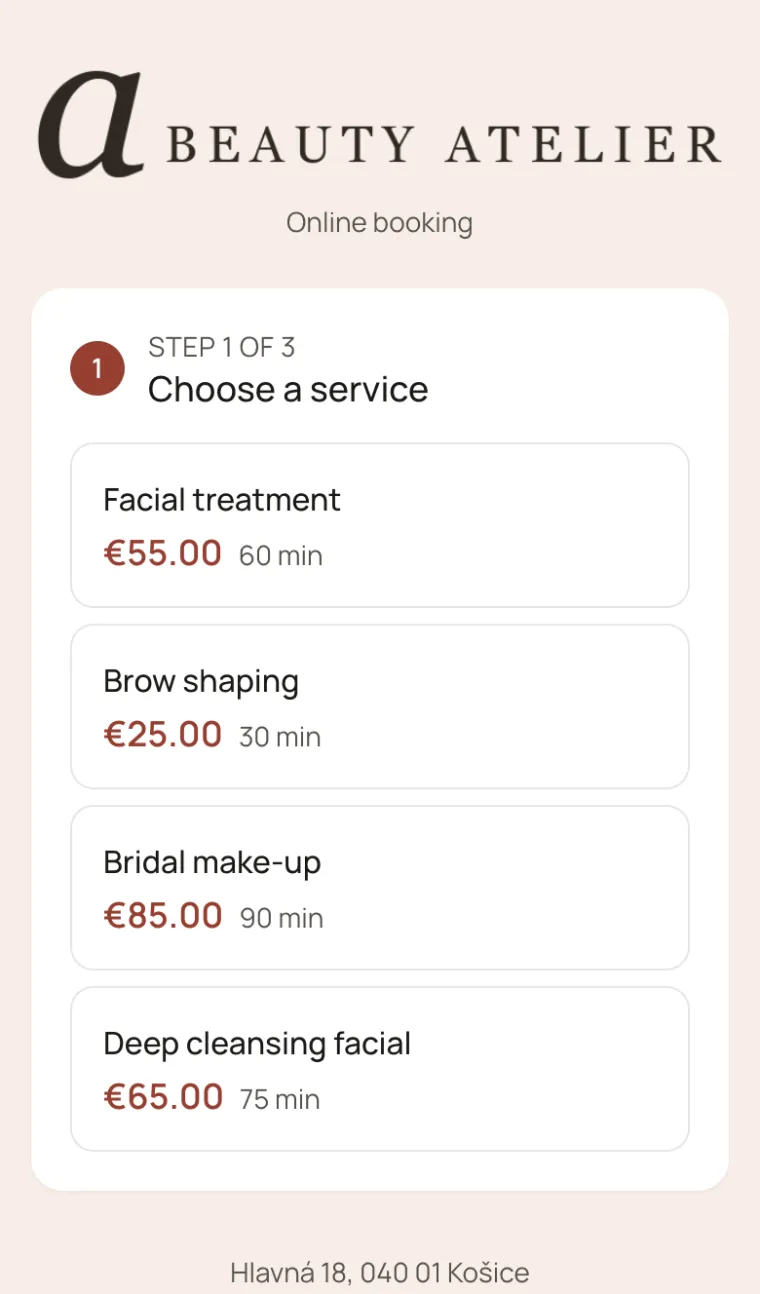
For each service she sees the price and how long the visit takes. Signato offers her times based on the working hours you have set.
You find the booking in your calendar. If you turn on approval for a service, you first review the request and decide whether to confirm the time.
Your logo. Your colours.
Add your own logo and choose your business’s colours. Your client recognises your salon as soon as she starts booking.
You match the booking page and the questionnaires to what your clients know from your website or Instagram.
With the Professional plan you show bookings and forms on your own domain.
Try the colours in the preview:

Your working time, your rules
You set your working hours and breaks. You block out a holiday or other time off in the calendar, so nobody can book you for that time.
You turn on approval for a service. Before you confirm, you can clarify with the client what she needs and judge whether you can provide the service.
When you agree another time with a client, you move her booking. In the shared calendar you can also see your colleagues’ appointments.
You can show bookings in Google or Apple Calendar. So you can follow your work appointments where you plan everything else.
Access for colleagues, up to 5 users in total, comes with the Professional plan.

Your client is reminded that she has a visit tomorrow.
She gets one more notice before the visit.
Reminders and changes of time
Signato reminds your client of her appointment by email 24 and 2 hours before the visit. You don’t have to go through the calendar every day and write to clients one by one.
She opens the link in the email and makes the change. You set how long before the visit she can do it, so you know about changes in good time.
Emails go out under your salon’s name. When a client replies to a message, the reply arrives at your salon’s email.
Deposits when booking
You turn on a deposit for a selected service. Your client pays it by card when she books and pays the rest later. So you receive part of the payment in advance for the time you set aside for her.
If your client doesn’t pay the deposit within 30 minutes, Signato releases the booking. Someone else can then pick that time.
To take deposits you connect your Stripe account. Signato takes no commission from the deposit; Stripe charges a payment processing fee.
You decide the cancellation terms. In Signato you set whether the deposit is refunded automatically for an early cancellation. You can also refund it by hand.
A booking linked to a questionnaire
You attach your own questions to a service. For makeup you ask about the style she wants, for a treatment you might ask about allergies. From the answers you prepare your products and your questions for the meeting.
See the questionnaires before a visit
It sends it to your client about 2 days before the visit, and she fills it in at home. If she books for the next 2 days, she gets it straight away.
You explain the procedure and the risks to your client. When she agrees, she signs the informed consent to the treatment on a phone or tablet at your salon.
You find her answers, the signed consent, photos and your notes in it. You pick up where you left off last time.
Before you try Signato
Tell us which services you provide. We will help you set up bookings.
Write to podpora@signato.sk
No. Your clients only need your booking link. You can share it on social media or send it in a message.
No. She opens the booking in a web browser. You can also work in Signato through a browser on a phone, tablet or computer.
You mark in the calendar that she didn’t come. In her record you then see how many times she has missed a visit.
Yes. For a service you set after how many weeks she should come again, and Signato sends her an email. For regular services you can also use repeat appointments.
Yes. In Signato you manage gift vouchers and passes. You can also add extras to services.
If you want to carry on, you choose and activate a paid subscription. Without that, nothing is charged automatically. If you don’t want to carry on, download the records you need before the trial ends. Trial and subscription terms
Start with one service
Create an account, add a service and set your working hours. Then open your booking link and go through the booking from your client’s side.
What else you can handle in Signato